
Case study
Sweet P’s BBQ
DeliveredCustom catering-management software delivered for Sweet P’s BBQ, a real barbecue catering business. A menu builds and prices itself, an invoice chases itself once it goes overdue, and Sweet P’s own email agent reads an incoming enquiry and answers it — named here with the owner’s agreement.
Delivered for Sweet P’s BBQ — a named client
Custom catering-management software delivered for Sweet P’s BBQ, a real barbecue catering business — named here with the owner’s agreement. It was built to replace how the business ran its catering operations before, with modern AI layered in from day one: menus that build and price themselves, invoices that chase themselves when they go overdue, and an email agent that reads incoming enquiries and answers them automatically.
The problem
A barbecue catering business runs on a stream of one-off jobs — a tailgate here, a wedding there — each one needing a priced menu, a sent proposal, an invoice, and a follow-up if that invoice goes unpaid, on top of the emails that keep coming in asking about all of it. Before this system, Sweet P’s BBQ ran that whole loop by hand, on whatever software and habits the business had built up over time. The owner wanted a custom replacement that put modern AI into the parts that ate the most time: building and pricing a menu, chasing an invoice that had gone quiet, and reading the enquiries that came in whether or not anyone was free to answer them.
How it works
The pipeline, step by step
- 1
Job intake
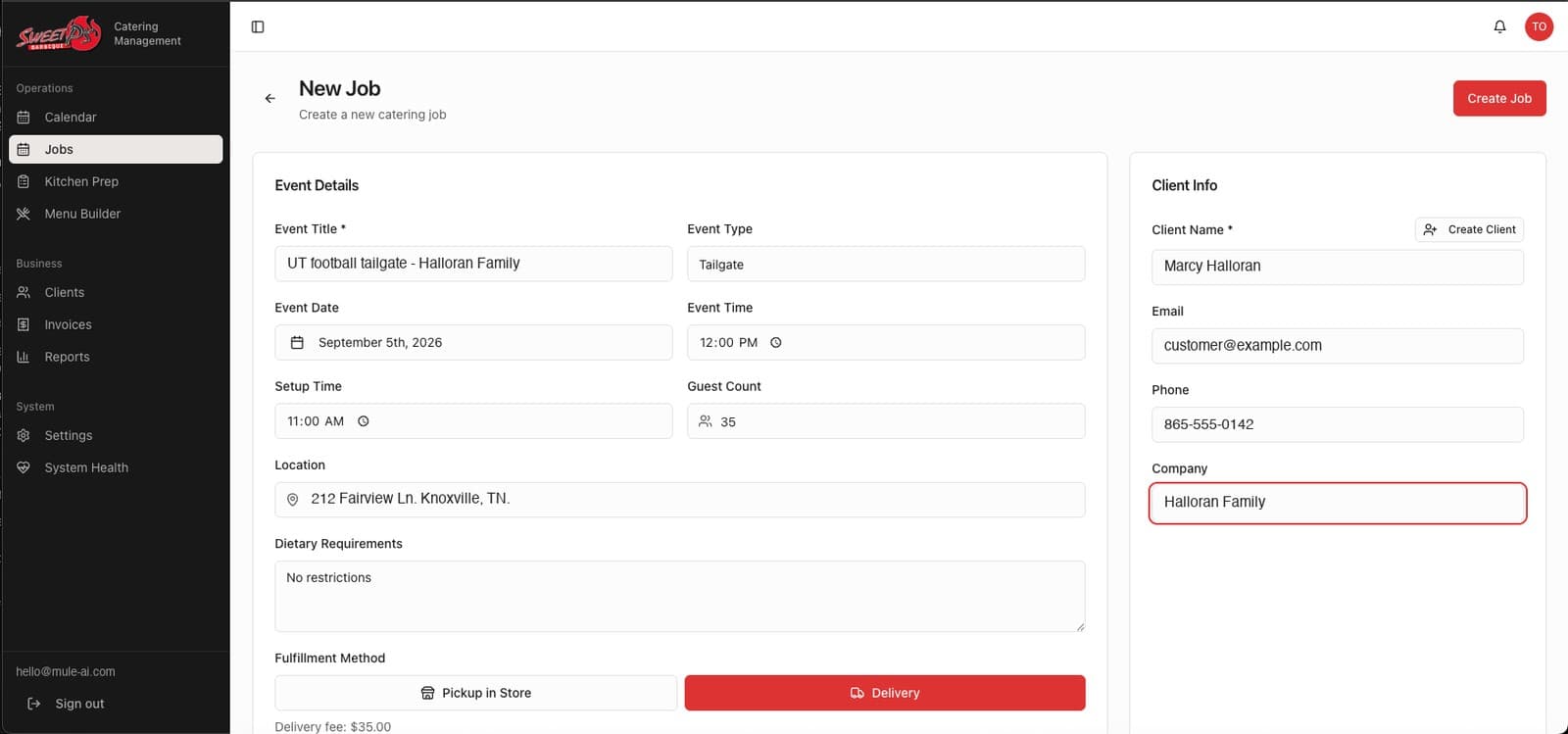
A new job captures the event type, date, setup time and guest count, the delivery or pickup method, dietary requirements, and the client’s contact info — all in one screen.
- 2
AI menu building
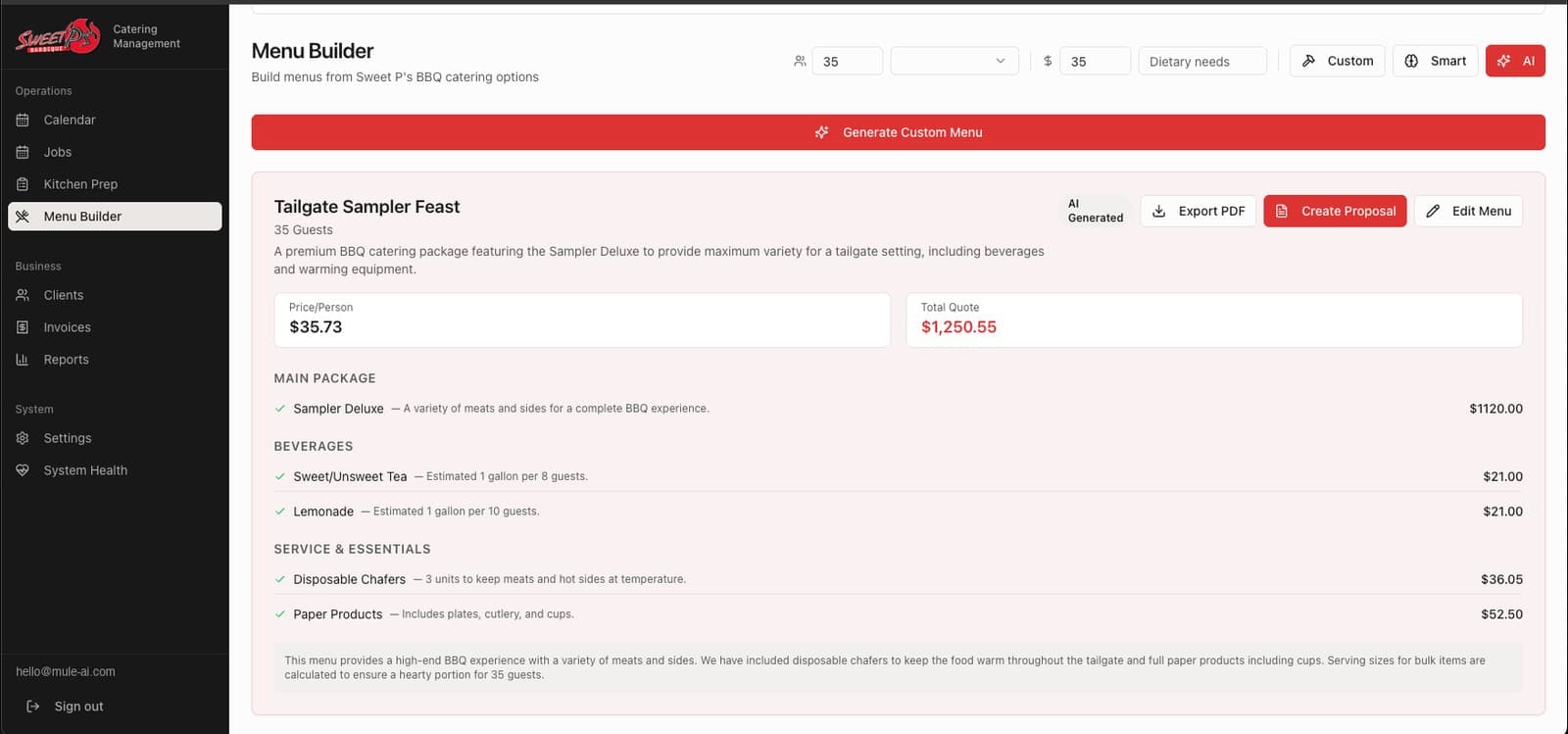
The Menu Builder can build a menu by hand, from a smart template, or let AI generate one from the guest count and budget alone — priced item by item in seconds.
- 3
Proposal to signed job
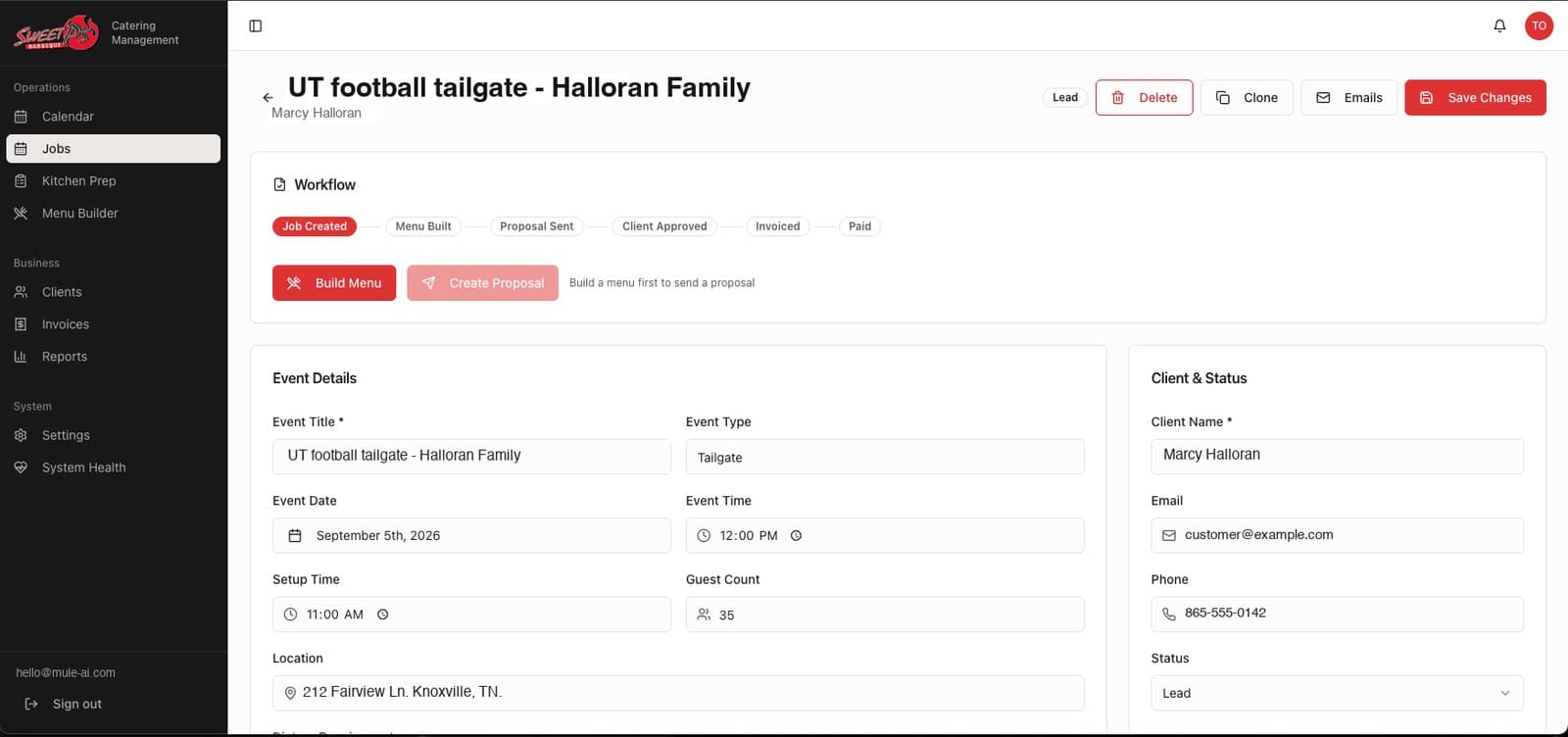
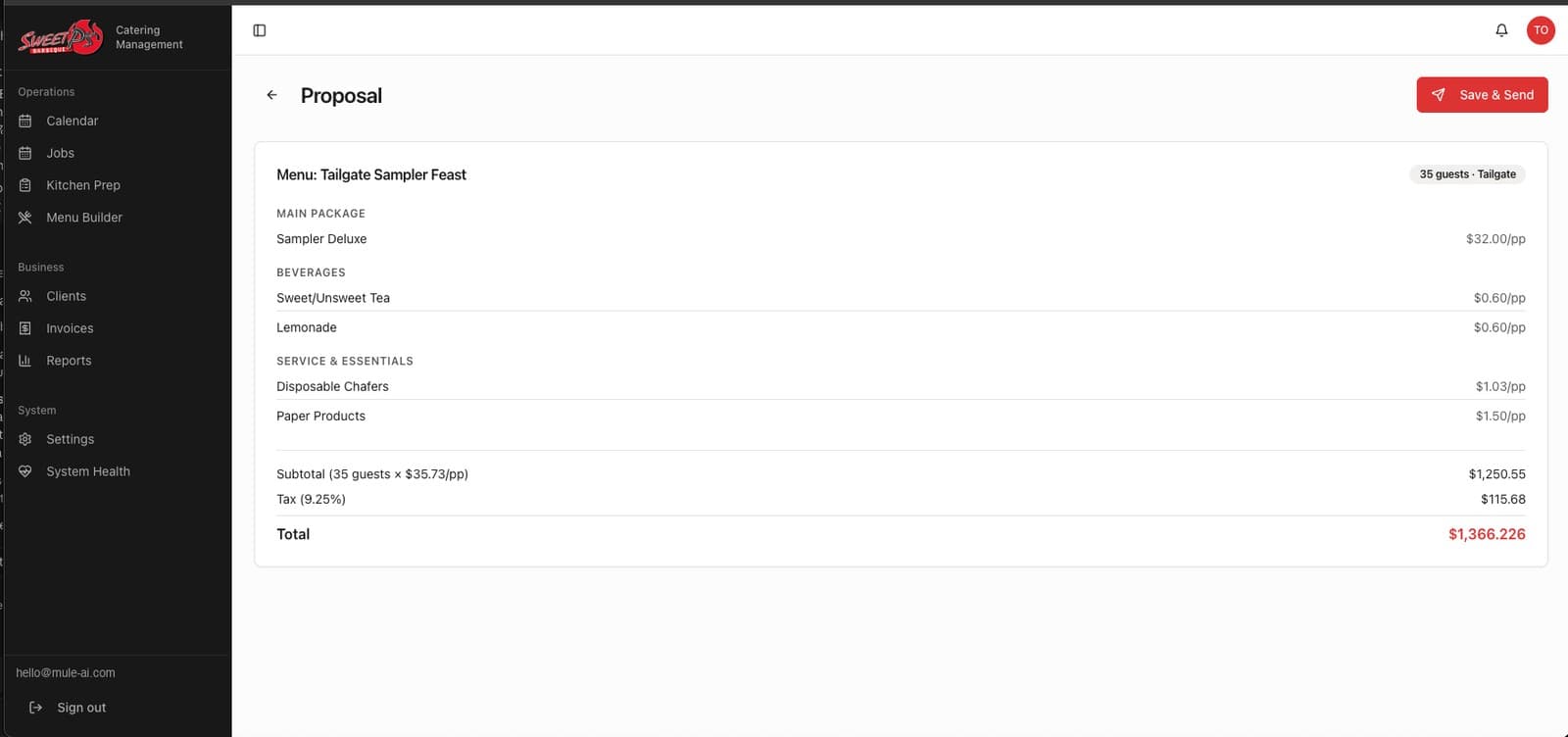
A priced menu becomes a proposal with one click — line items, tax and a total, ready to send. From there the job moves through its own workflow: Job Created, Menu Built, Proposal Sent, Client Approved, Invoiced, Paid.
- 4
Invoicing that chases itself
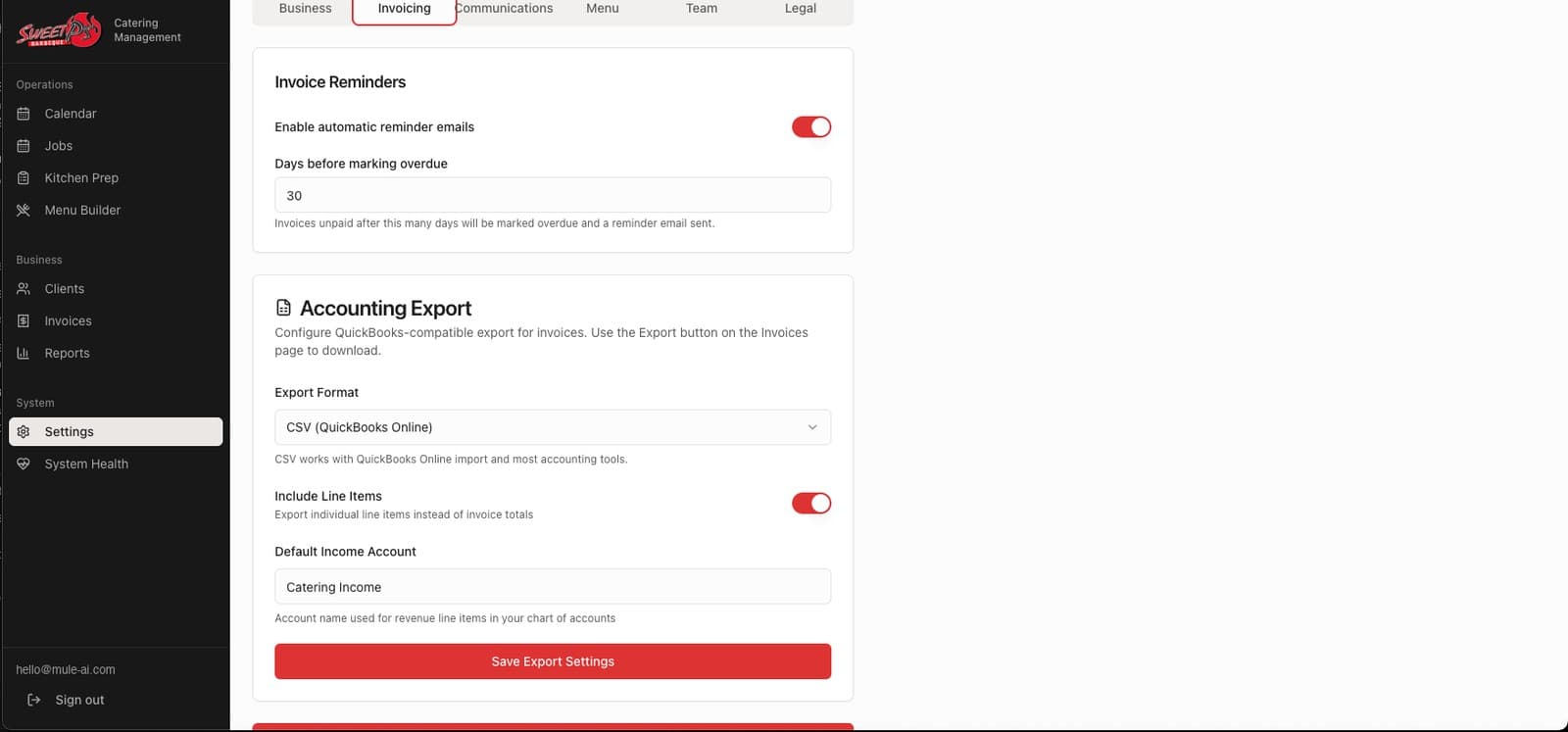
Automatic reminder emails are built in: an invoice unpaid past its configured overdue threshold gets a reminder sent on its own, with no one having to remember to chase it.
- 5
The email agent
Sweet P’s own email agent reads an incoming client enquiry and answers it automatically, so a question that arrives after hours or during a busy prep day still gets a response.
- 6
Running the business day to day
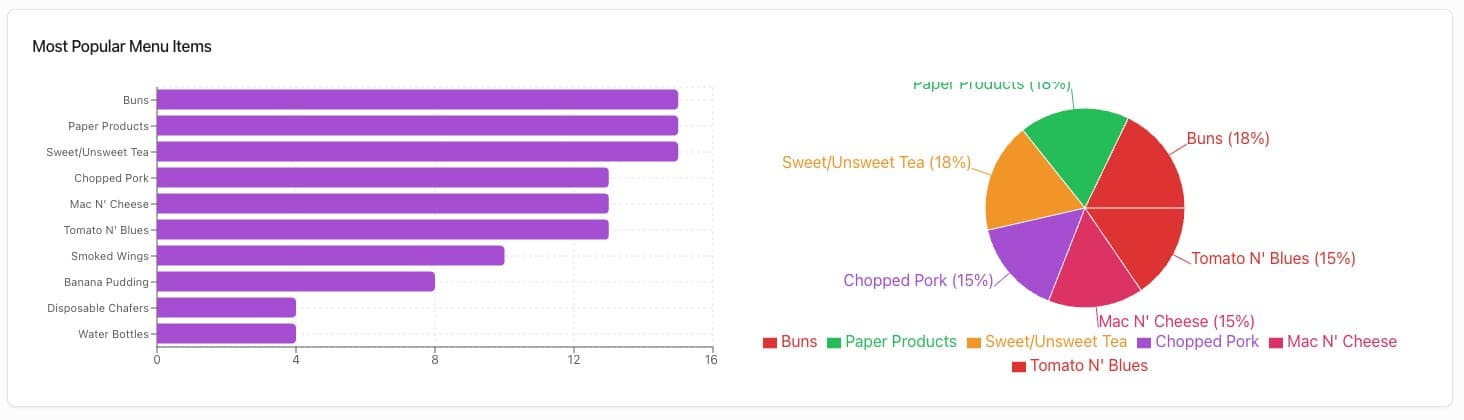
A Kitchen Prep view supports the day-of cooking, Reports tracks which menu items actually sell, and a System Health page monitors the software itself — alongside a calendar and a client list for everything already booked.
What it produced
The numbers, from one run
Delivered
AI menu building
Custom, Smart, or fully AI-generated, priced line by line
Delivered
Job pipeline
Job Created through Paid, tracked on every job
Delivered
Automatic invoice chasing
A reminder email sent once an invoice passes its overdue threshold
Delivered
Email agent
Reads an incoming client enquiry and answers it automatically
The real product
Not a mockup

What this means for a business like yours
In the owner’s own words, this was “a custom software replacement with modern AI tech to auto build menus, invoice clients, automatically chase late invoices on its own, and leverage Sweet P’s email agent to listen and auto-respond to clients so nothing fell through the cracks.” Every one of those four things — the menu, the invoice, the chasing, the listening — used to depend on a person remembering to do it between everything else running a catering business demands.
What we did not measure
No operational outcome from this system has been instrumented — no figure for invoices recovered, no measured response time from the email agent, no hours saved, no revenue change. What is verified is the software itself: menus that build and price themselves, a job pipeline that runs from intake to paid, invoice reminders that fire on their own, and an email agent that reads and answers incoming enquiries — all delivered and in use at Sweet P’s BBQ.